NMS Multitenancy (Organizations)
The NMS supports multitenancy starting with v1.1.0. Tenants in the NMS are
called "organizations". Each organization owns a subset of the networks
provisioned on Orchestrator, and the special master organization
administrates organizations in the system.
Users in organizations log into the NMS using a subdomain that matches their
organization name. For example, users of a facebook organization in the NMS
would access the NMS using facebook.nms.yourdomain.com.
First-time Setup
When you deploy the NMS for the first time, you'll need to create a user that has access to the master organization. Run the command
- Docker (development environment)
docker-compose exec magmalte yarn setAdminPassword master ADMIN_USER_EMAIL ADMIN_USER_PASSWORD - Kubernetes (production environment)
export NMS_POD=$(kubectl get pod -l app.kubernetes.io/component=magmalte -o jsonpath='{.items[0].metadata.name}')
kubectl exec -it ${NMS_POD} -- yarn setAdminPassword master ADMIN_USER_EMAIL ADMIN_USER_PASSWORD
You can then log in to the master organization at master.nms.yourdomain.com
to create additional organizations and users.
When creating a new organization, only enable the NMS tab. Also, note that
only users with the Super User role can create new networks within each
organization.
DNS Resolution
We use ExternalDNS to
automatically set up an AWS Route53 DNS record that points
*.nms.yourdomain.com to the NMS application. If you're managing your
domain name outside of Route53, you'll have to add an NS record <org>.nms.
for every new organization you add to the NMS. The list of nameservers to set
can be found in the AWS console for the Route53 zone or as the nameservers
output of the orc8r-aws Terraform module.
Examples
Single Tenant
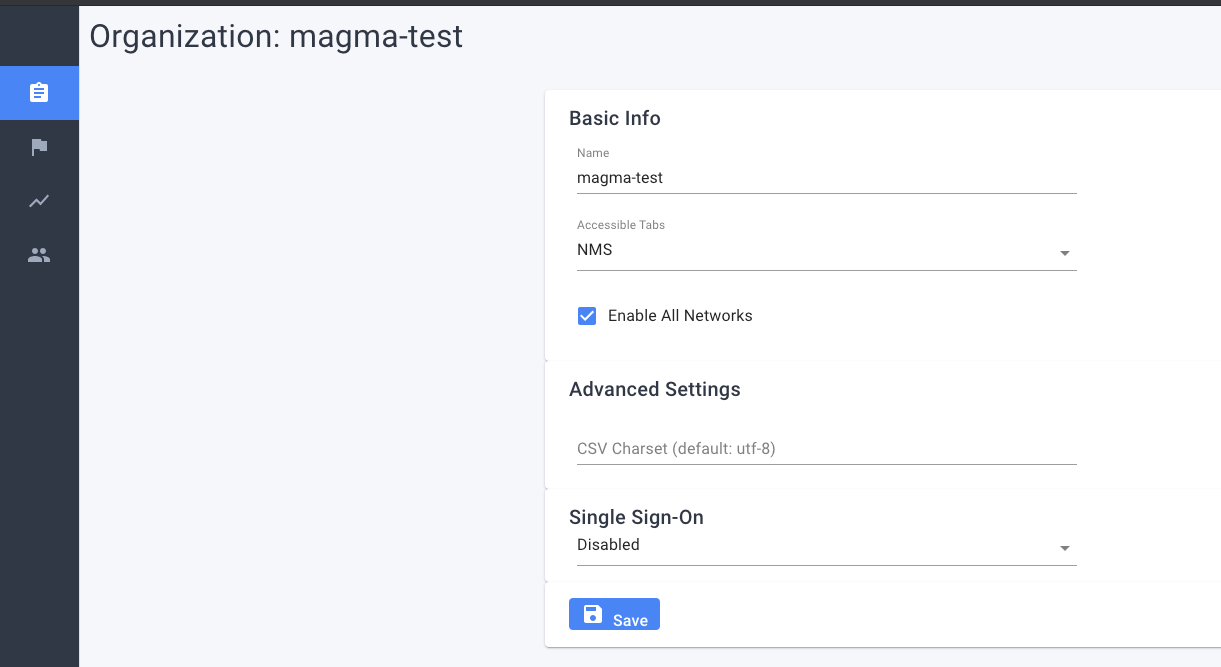
Create one organization and give it access to all networks. This is essentially
the same as v1.0 when there was no tenancy support. The only difference is that
the NMS is accessible from the URL magma-test.nms.yourdomain.com
Multiple Tenants
Create a second organization and give it access to specific networks
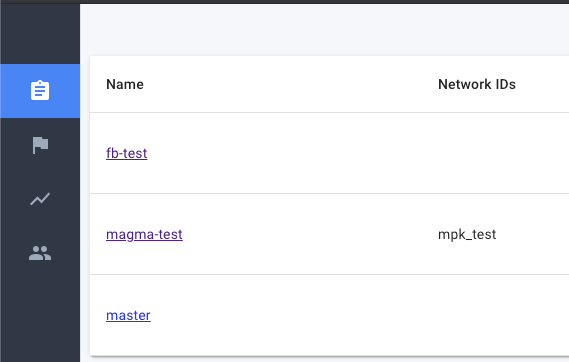
Here, fb-test has access to all networks, while magma-test only has access
to the network mpk_test. Create a user in this organization to use it
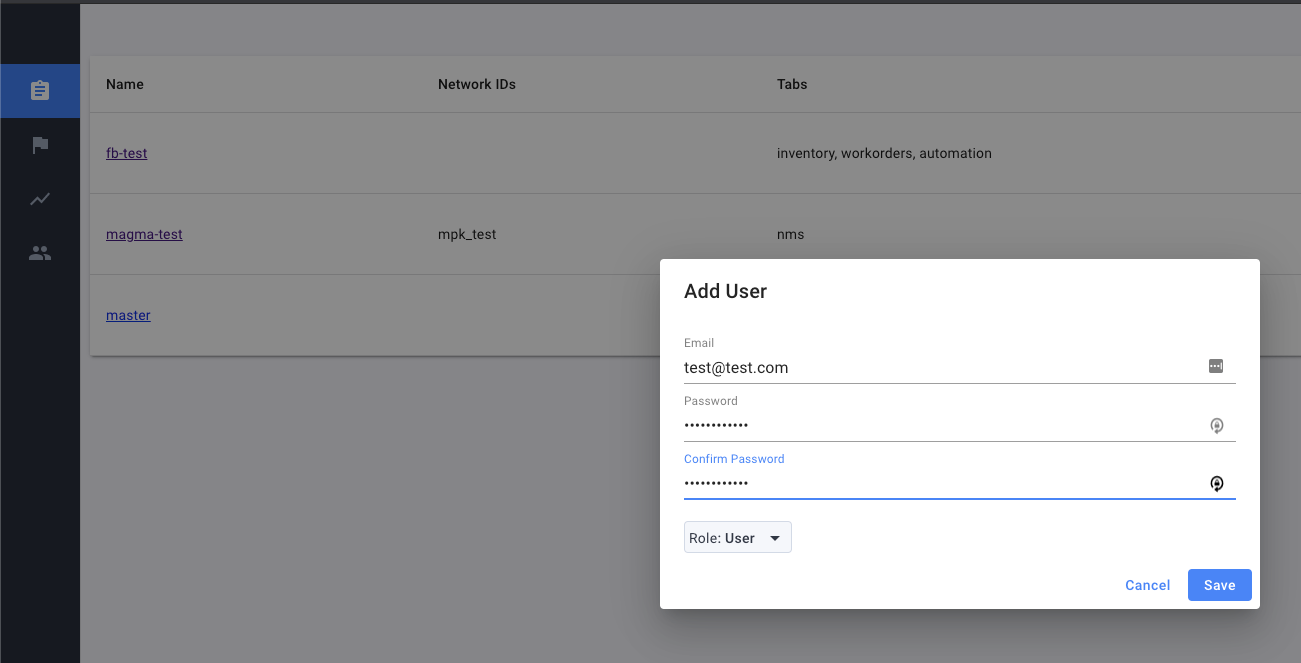
When you log in to magma-test.nms.yourdomain.com you will only be able to see the
network mpk_test. If you log into fb-test.nms.yourdomain.com, you will
have access to all networks.