Test Orchestrator
This guide covers tips for quickly validating Orchestrator changes.
Context
The Orc8r build process is managed by build.py.
See build.py --help for more information.
Pre-build: code generation
- Command:
build.py --generate - CI check:
insync-checkin - About: generated files are checked-in to version control. You can regenerate these files by running
build.py --generate, then committing the resulting changes.
Pre-build: lint
- Command:
build.py --lint - CI check:
cloud-lint - About: lint cloud Go code for common errors and non-idiomatic formatting
Build
- Command:
build.py --all --parallel - CI check:
orc8r-build - About: build all container images:
controllerandnginx
Test
- Command:
build.py --tests - CI check:
cloud-test - About: run all Orc8r unit tests. Builds and brings up a test and DB container, then runs the full set of Go unit tests.
Tip #1: run tests on the host
Using build.py --tests is effective, but can be heavyweight.
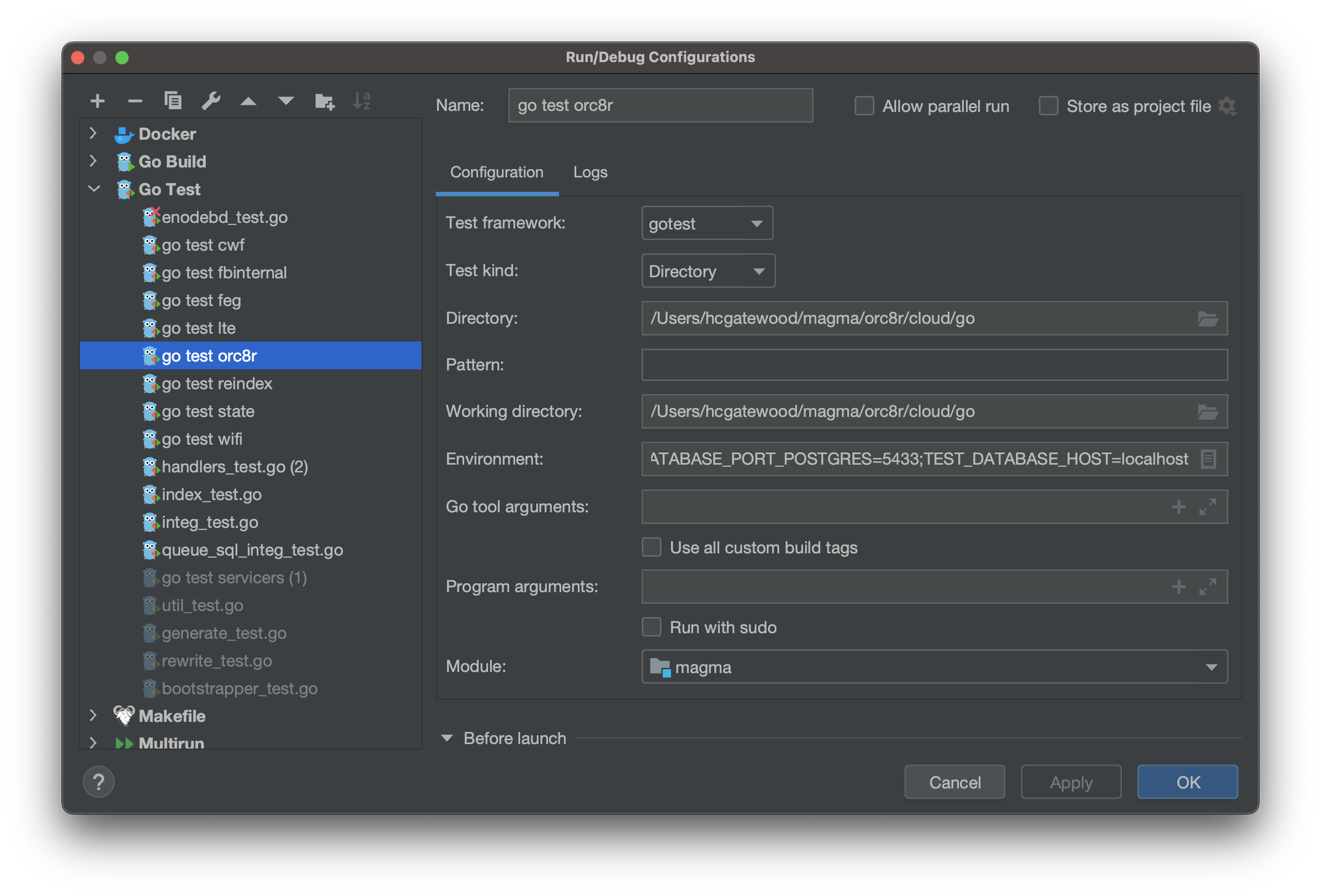
Instead, you can also run tests directly from your IDE. We provide a default set of IntelliJ run configurations to support running all tests in one click, directly from IntelliJ.
Default run configurations
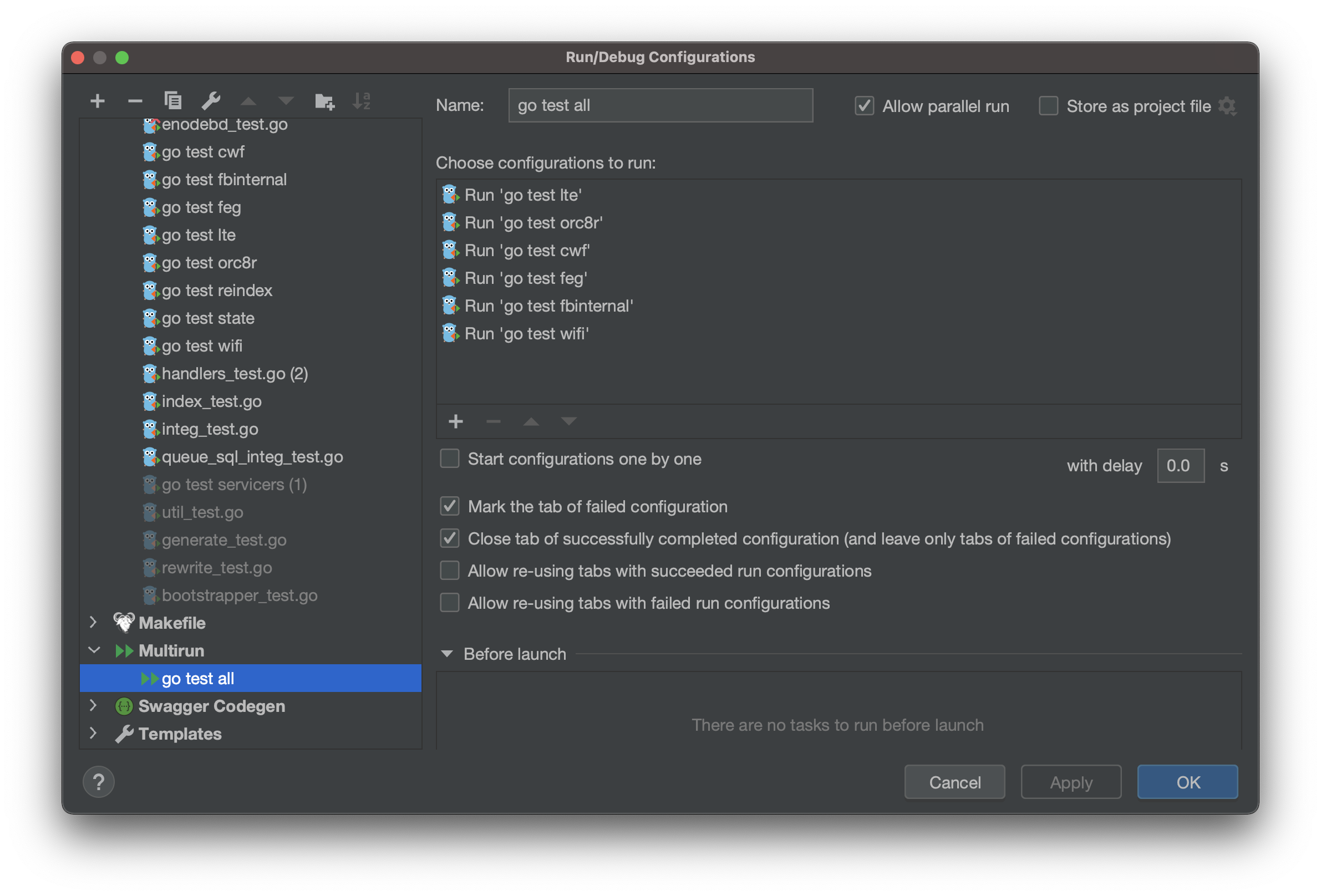
The default run configurations are checked in under .run/. You'll also need to install the Multirun plugin.
Go Test configurations should look something like
Multirun configurations should include go test all, and look something like
Install prereqs
Our tests are not fully isolated from their environment. To set up your environment for testing, run
cd ${MAGMA_ROOT}/orc8r/cloud/ && make tools  # install tools
cd ${MAGMA_ROOT}/orc8r/cloud/docker && ./run.py  # bring up postgres_test
Run tests
Now you should be able to run the full set of tests, without rebuilding any container images, for
- a particular subproject e.g.
go test lte - the entire codebase
go test all
Custom run configurations
You can also manually create your own run configurations. Depending on the test, you may need to include the following environment variables
TEST_DATABASE_HOST=localhostTEST_DATABASE_PORT_MARIA=3307TEST_DATABASE_PORT_POSTGRES=5433
Tip #2: build deployment-specific image
The build process follows a subproject-based architecture. The top-level build file, orc8r/cloud/Makefile, defines a set of generic commands, which each subproject implements, e.g. orc8r/cloud/go/Makefile.
The set of subprojects is determined by the MAGMA_MODULES environment variable, which is defined during the container image build process. The default subprojects include orc8r, lte, feg, etc.
By default, all subprojects are included in the build. If desired, you can use e.g. build.py --deployment orc8r to build a deployment-specific set of subprojects. This can reduce build time by up to 50%.