Configure Federation Gateway: Federated-FWA Setup Guide
Basic Configuration Steps
For Basic installation instructions follow "Installing Federation Gateway"
There are a few configuration steps that are not yet exposed in NMS that must be done manually via the REST API.
Magma has two important concepts on federation:
- Federation Network: An entity holding the higher level configuration of a given federation method. For example, in a system without a PCRF federation this may hold the network-wide policy rules.
- Federated LTE Network: An entity holding the specific configurations for a given LTE federation. For example, this may hold Gx/Gy/S6a specific configurations such as the availability of each interface on the gateway and the target servers.
When configuring an integration with LTE nodes, it is necessary to link these two entities as described in the following sections.
Associating FederatedLTE network to a Federation network
In the Federated LTE Network’s NMS page, the Federation config should be the Federation Network’s network ID.
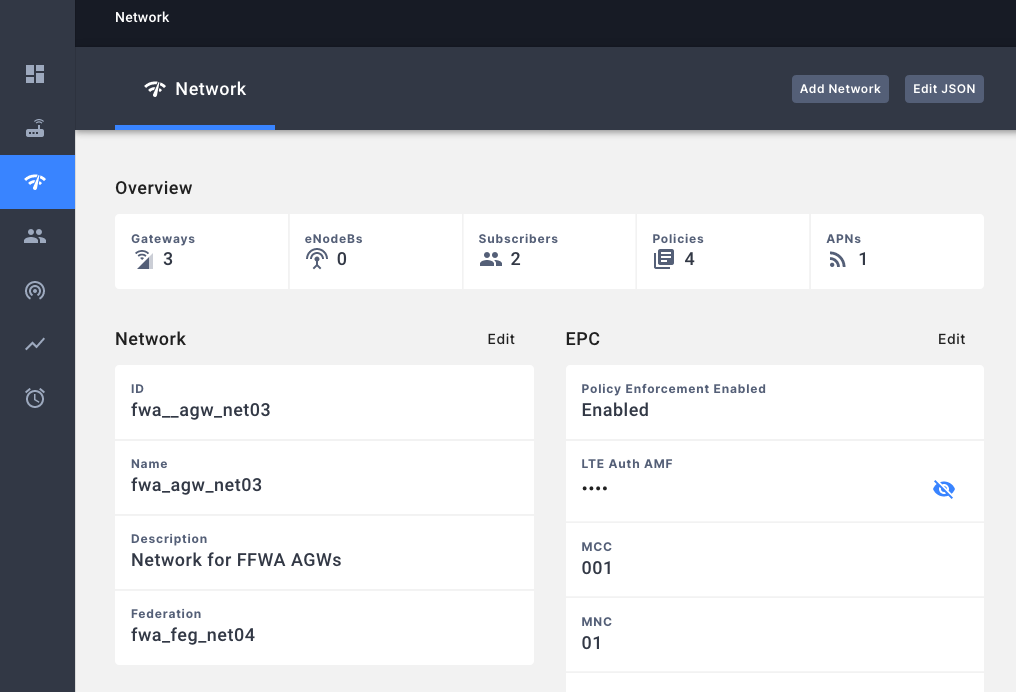
Associating Federation network to a FederatedLTE network
In order to complete the association, we also need to modify the Federation Network‘s federation configuration.
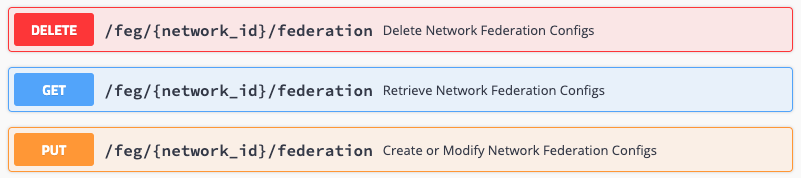
Ensure that the following field “served_network_ids” has the Federated LTE Network networkID.
  "served_network_ids": [
    "fwa_agw_1"
  ]
Enabling Relay To FeG
In Federated LTE Network’s EPC configuration, ensure both of the relay flags are set to true.

  "gx_gy_relay_enabled": true,
  "hss_relay_enabled": true,
Configuring Policies
The NMS page for Federated LTE Network has the following policy configuration page.
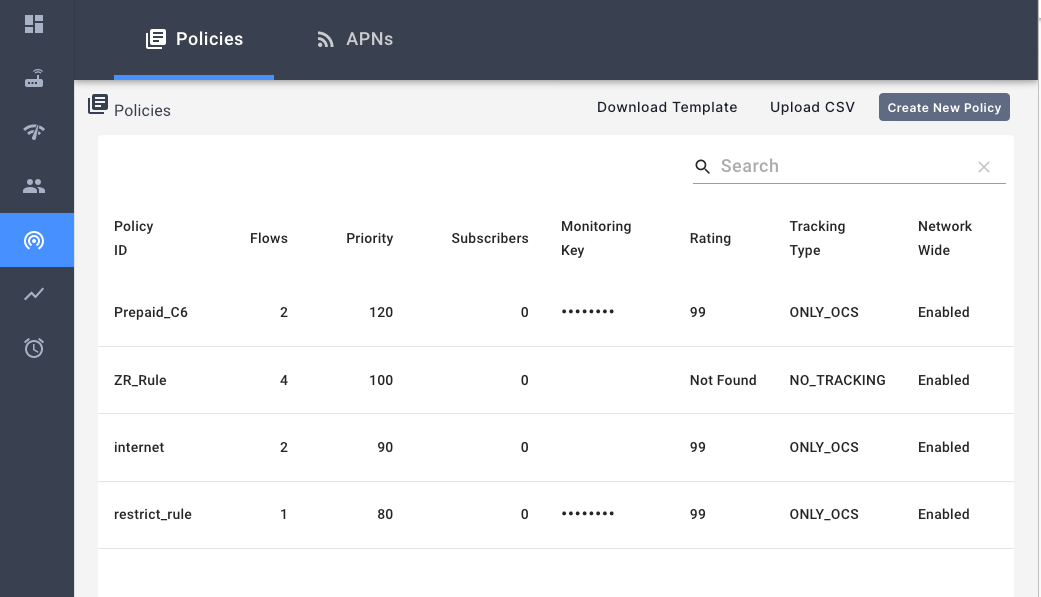
Configuring Omnipresent/Network-Wide Policies
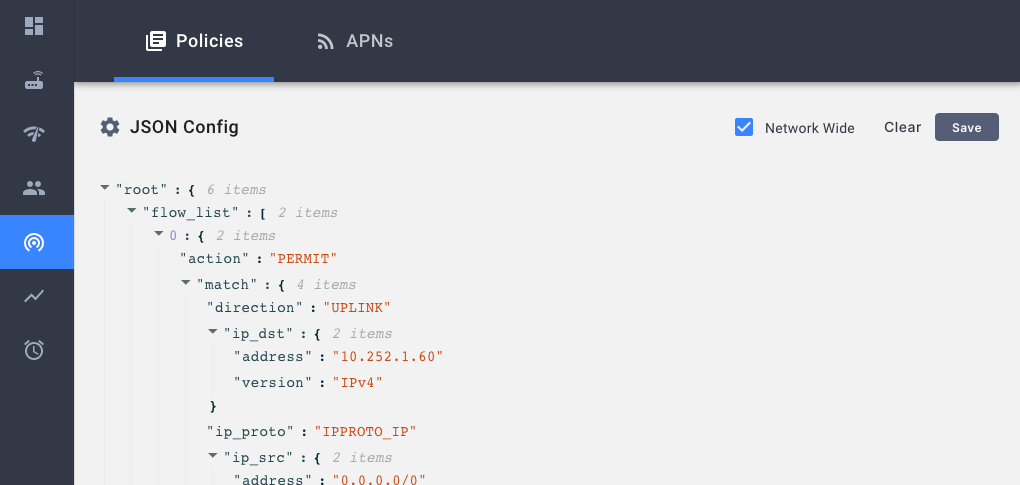
Omnipresent rules or Network-Wide polices are policies that do not require a PCRF to install. On Session creation, all network wide policies will be installed for the session along with any other policies configured by the PCRF. In the policy configuration’s edit dialogue, use the Network Wide check box to toggle the configuration.
Advanced Configuration Steps
Enabling Redirection Support
In order to enable FUA-redirection support, enable the redirectd service in the magmad configuration.

"dynamic_services": ["eventd","td-agent-bit","redirectd"]
Disable Gx / Gy
DisableGy: Useful for cases where no OCS / charging policies are configured.
DisableGx: For PCRF-less deployments. In this setting, omnipresent policies must be added to the networks’ subscriber_config. If the rules contain a rating group, credit usage will be reported through the Gy interface.
The relevant configurations for disabling Gx/Gy are:
"gx": {
    "disableGx": false,
},
"gy": {
    "disableGy": false,
}
PLMN filter
FEG allows filtering subscribers by PLMN id. If the subscriber does not belong to a PLMN, the request will not be sent to HSS and FEG will return an UNAUTHORIZED message.
To enable this feature add a list plmn_ids to s6a and add a list of PLMN
ids. The list can contain 5 digit or 6 digit PLMN ids. If the list is empty or
null, s6a will send any IMSI request to HSS.
"s6a": {
    "plmn_ids": [
      "123456"
    ],
}
This feature is disabled by default (so any session request from any IMSI will be sent to HSS)
Virtual APN
To replace UE specified APNs with a config specified APN for Gx and Gy, use the Federation API endpoint. Under either Gx or Gy configuration, you can specify a list of filters and virtual APN value.
For example, the configuration below will replace any APNs of sessions with
APN of form internet.* and charging characteristic 12. However, the virtual
APN will only be applied for the Gx interactions, as the config for Gy is empty.
"gx": {
    ...
    "virtual_apn_rules": [
        {
            "apn_filter": "internet.*",
            "apn_overwrite": "new.apn!",
            "charging_characteristics_filter": "12"
        }
    ]
  },
  "gy": {
    ...
    "virtual_apn_rules": []
  },
Basic Sanity Checks
FeG
- Here are the steps to test the FeG <-> Gx/Gy/S6a connections
- Exec into
session_proxycontainer:docker exec -it session_proxy bash - Run
/var/opt/magma/bin/gx_client_cliwith the following parameters- --commands=IT
- --dest_host
- --dest_realm
- --addr
- --realm
- --host
- --imsi
- Run
/var/opt/magma/bin/gy_client_cliwith the following parameters- --commands=IT
- --addr
- Run
/var/opt/magma/bin/s6a_client_cli air \<IMSI\>- Example:
/var/opt/magma/bin/s6a_cli air 001010000091111
- Example:
- Exec into
AGW
- Ensure the basic AGW features are healthy. (Checkin, Bootstrapping, etc.)
- Ensure that enable_config_streamer is set in
/etc/magma/magmad.yml - Ensure that the streamed SessionD config shows gxGyRelayEnabled as set
- Run
magma_get_config.py -s sessiond
- Run
- Ensure that the streamed SubscriberDB config shows hssRelayEnabled as set
- Run
magma_get_config.py -s subscriberdb
- Run
Various Debugging / Issue Reporting Tips
PCAPs
- For any Gx/Gy/S6a issues, a PCAP on FeG is extremely helpful.
- For any AGW issue, a PCAP on AGW is probably useful.
- For Gx/Gy issues, SessionD + SessionProxy logs are useful
- For datapath issues, SessionD + PipelineD logs are useful
Log Levels
- SessionD’s log level at ‘DEBUG’ level to get granular insight on data usage tracking
- Enabling logging for GRPC messages between services
- For AGW, modify
/etc/environmentto includeMAGMA_PRINT_GRPC_PAYLOAD="1"and restart all services. This flag will only work for the SessionD service on the AGW. - For FeG, add the environment variable in the docker-compose file as the following.
- For AGW, modify
environment:
    MAGMA_PRINT_GRPC_PAYLOAD: 1
Use 2 if you want to remove verbose messages like metrics (this also works on Orc8r).
environment:
    MAGMA_PRINT_GRPC_PAYLOAD: 2