Network dashboard
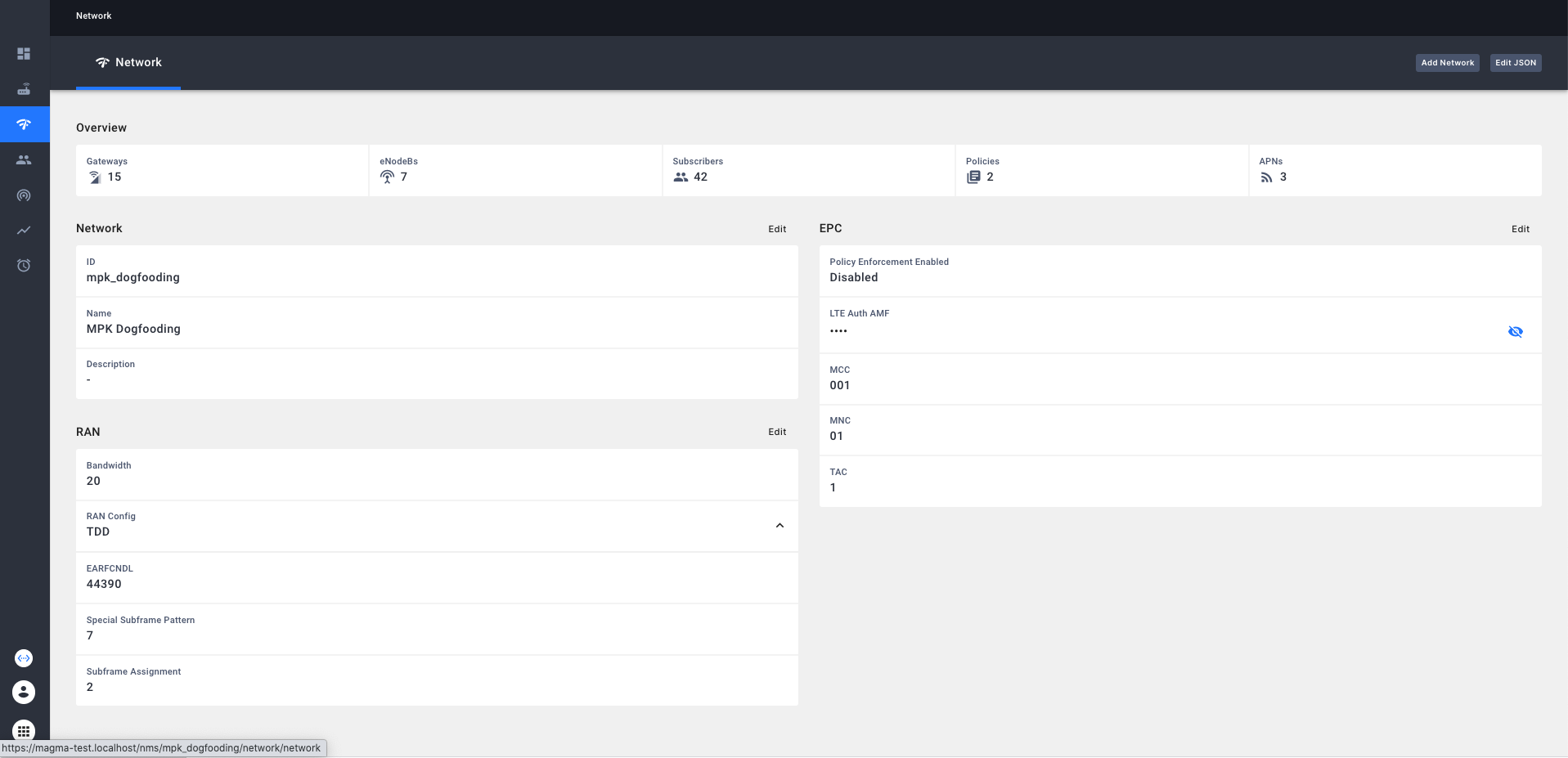 The network dashboard contains the following sections:
- KPI grid displaying number of [eNodeBs, Gateways, Subscribers, Policies, APNs]
- Information section to view/edit attributes such as name and description.
- EPC section to view/edit attributes such as Policy Enforcement status, LTE Auth AMF, MCC, MNC, TAC.
- RAN Section to view/edit attributes such as Bandwidth, FDD (EARFCNUL, EARFCNDL), TDD(EARFCNDL), Special subframe pattern, subframe assignment
- Button to add a new LTE network
Network Configuration
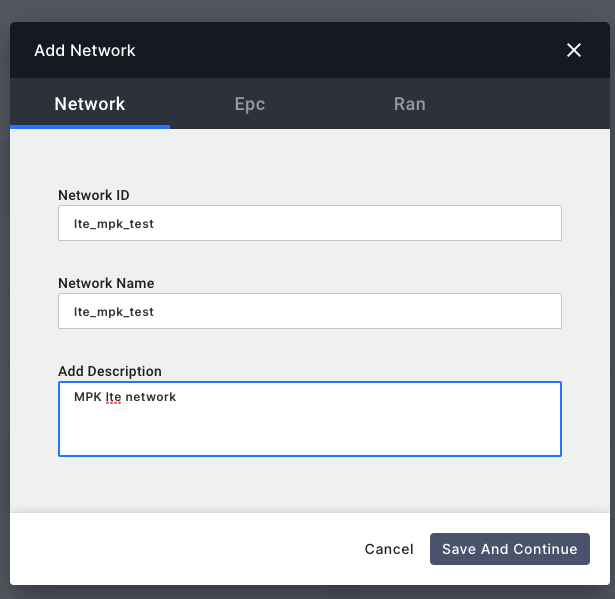
The same network configuration dialog is used for add as well as edit. The dialog has 3 main tabs
- Network Information To configure network specific details including name, ID and description
- EPC To configure network EPC specific params including policy enforcement, LTE Auth AMF, MCC, MNC and TAC
- RAN To configure RAN specific paramters including Bandwidth, Band Type(TDD/FDD). In case FDD, is chosen, then user has to configure EARFCNDL and EARFCNUL. In case TDD is chosen, user has to configure EARFCNDL, Special Subframe pattern and Subframe assignment.
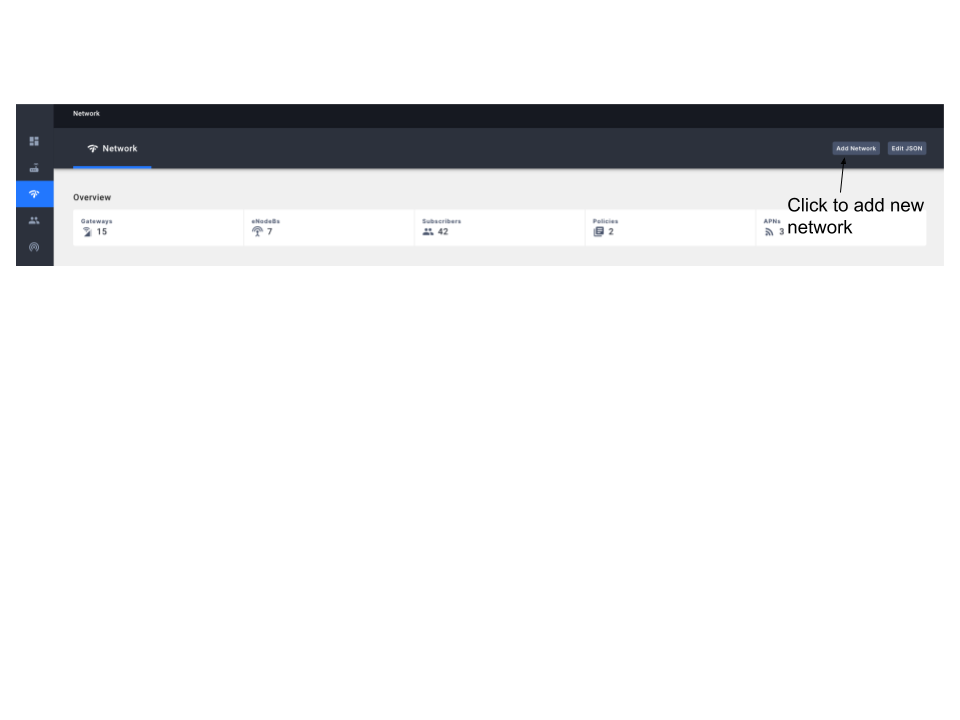
Adding a new LTE network
A new network can be added by clicking on the button as shown below
Add dialog is shown below.
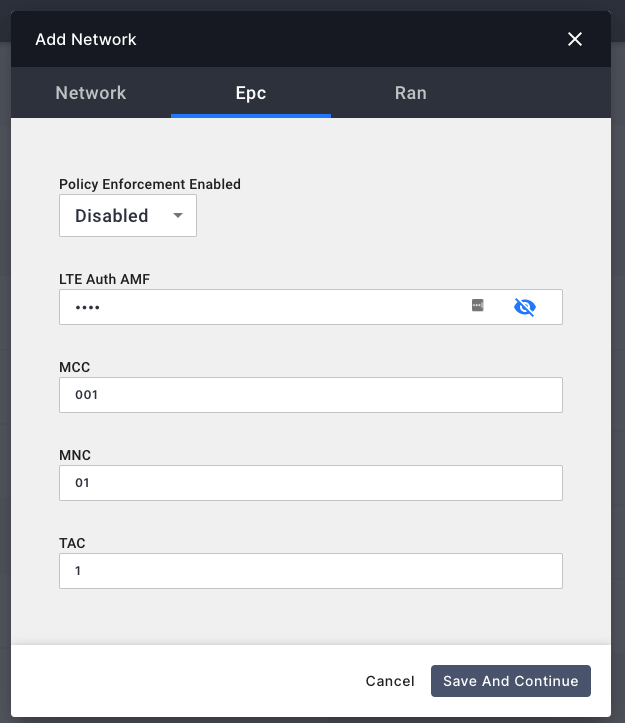
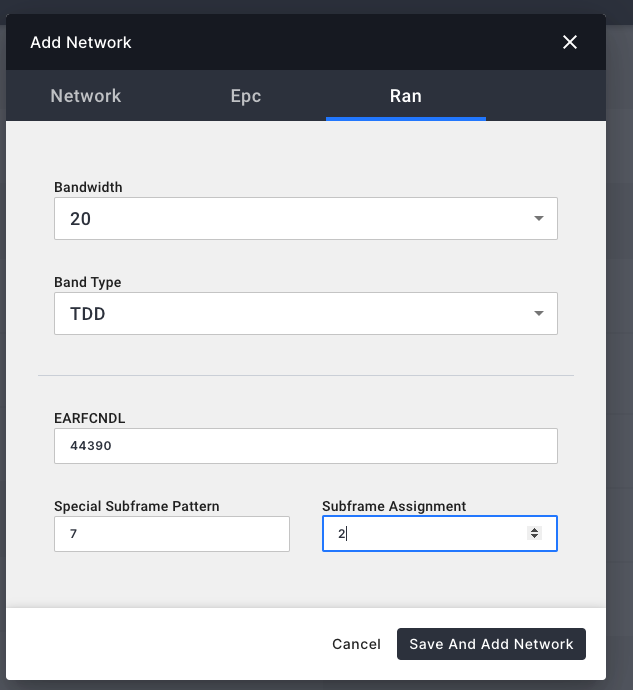
Once the new network has been added. It will show up in the network
selector as shown below:
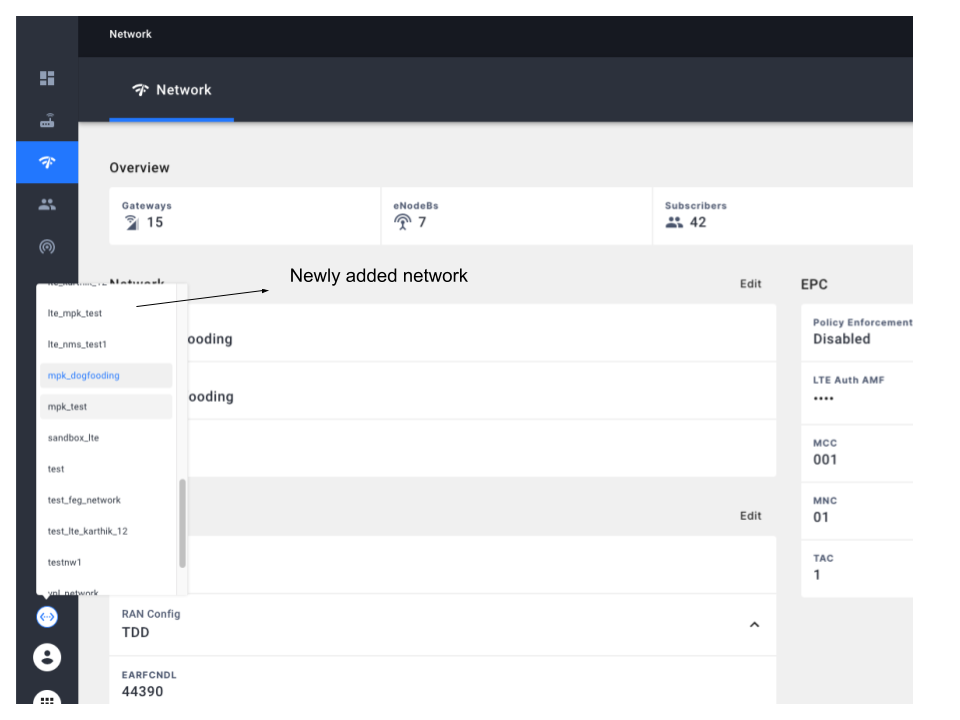
Editing network configuration
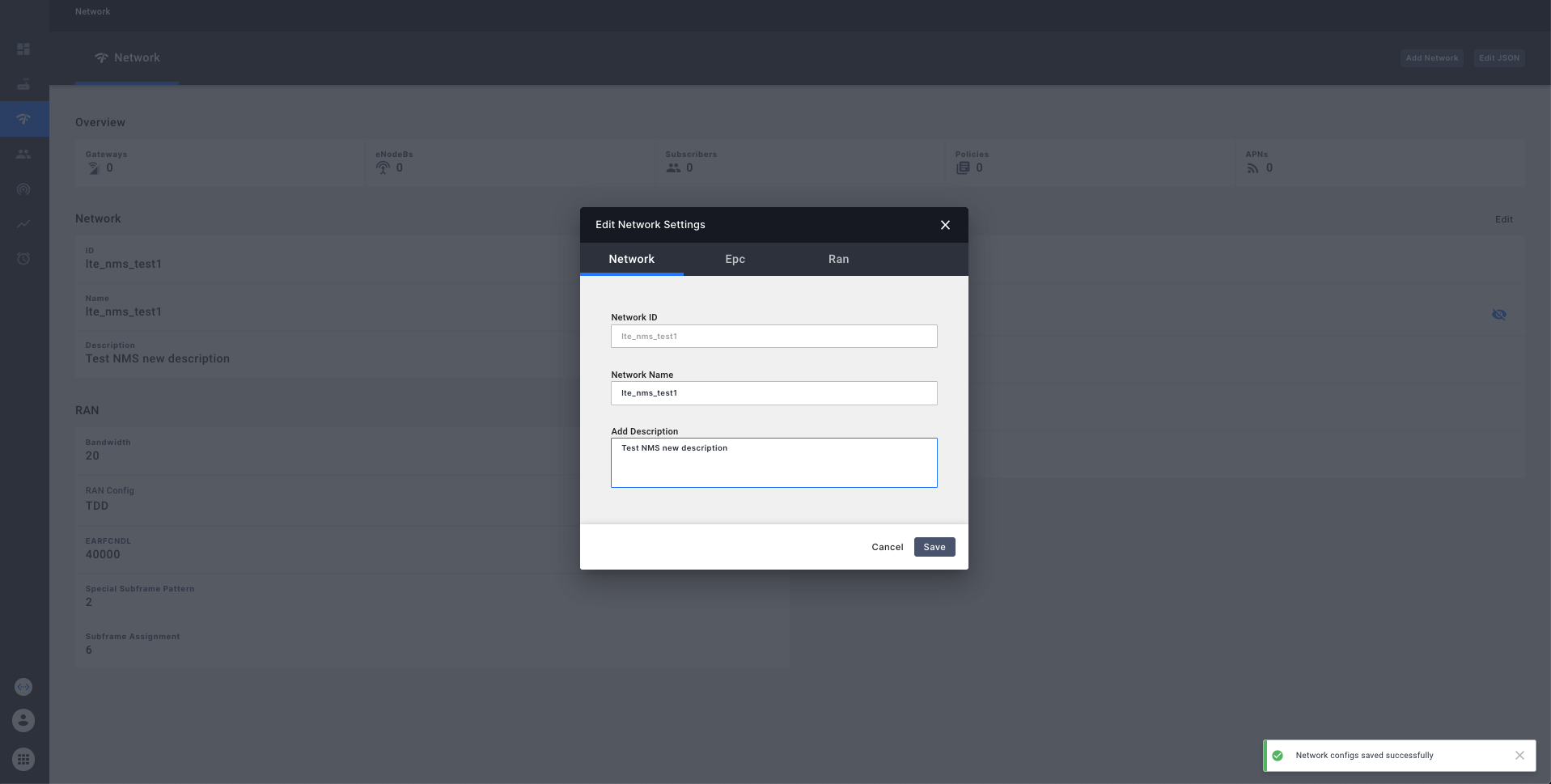
The network configuration can be edited by clicking on the edit button in the network overview page and editing as follows: